11.20. How to Get Google Maps API Key To Use with Nav Core Function on SambaPOS
In this document it will be explained how to create Google Maps API Key to use with Nav Core Function on SambaPOS.
1. Go to https://console.cloud.google.com and Sign in with your Google Account.
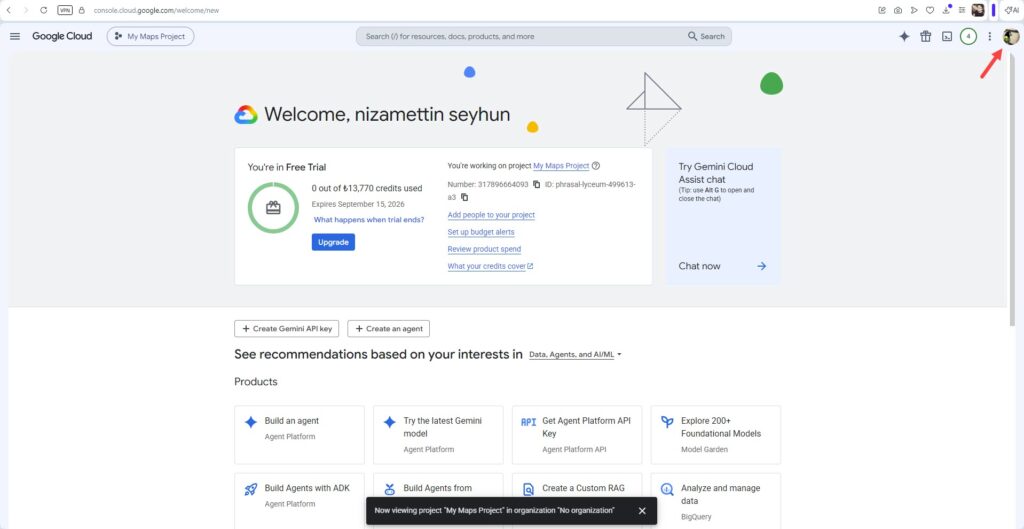
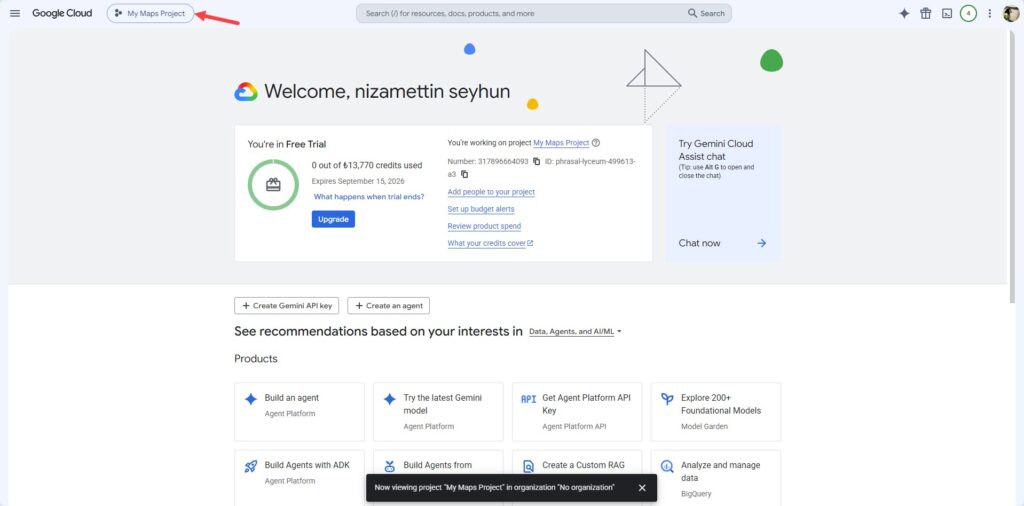
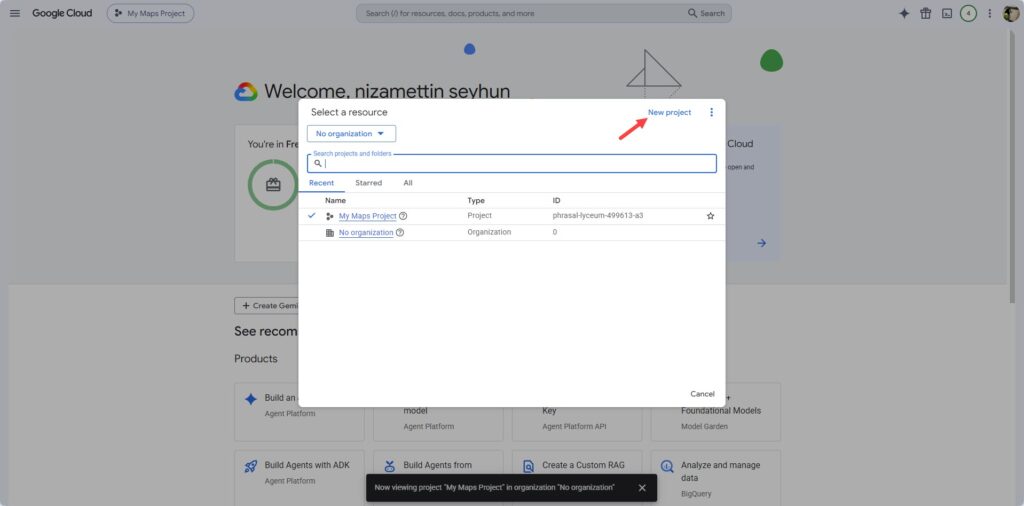
2. Create a New Project from the top menu (e.g., “Restaurant-Address”)
3. Link a Billing Account – this is mandatory for Google Maps APIs (there is a free monthly credit).
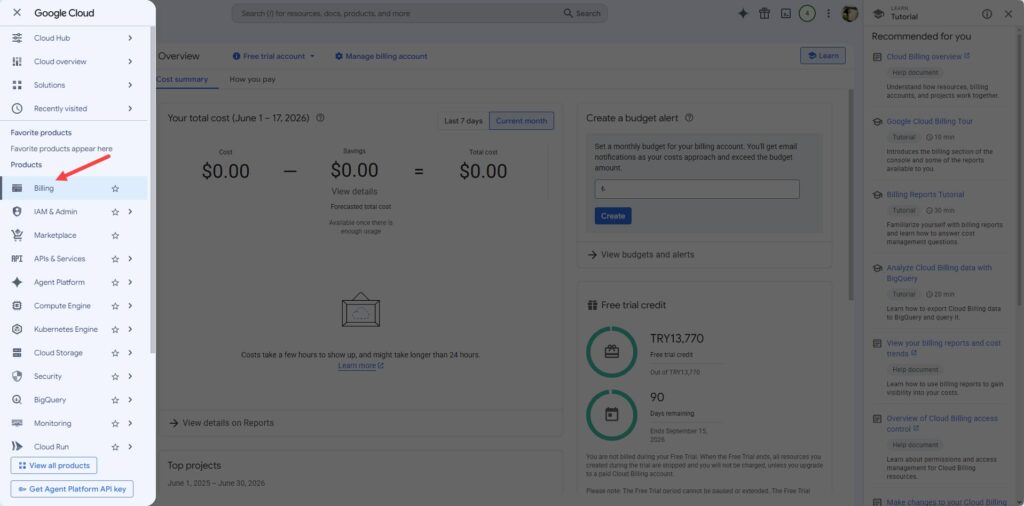
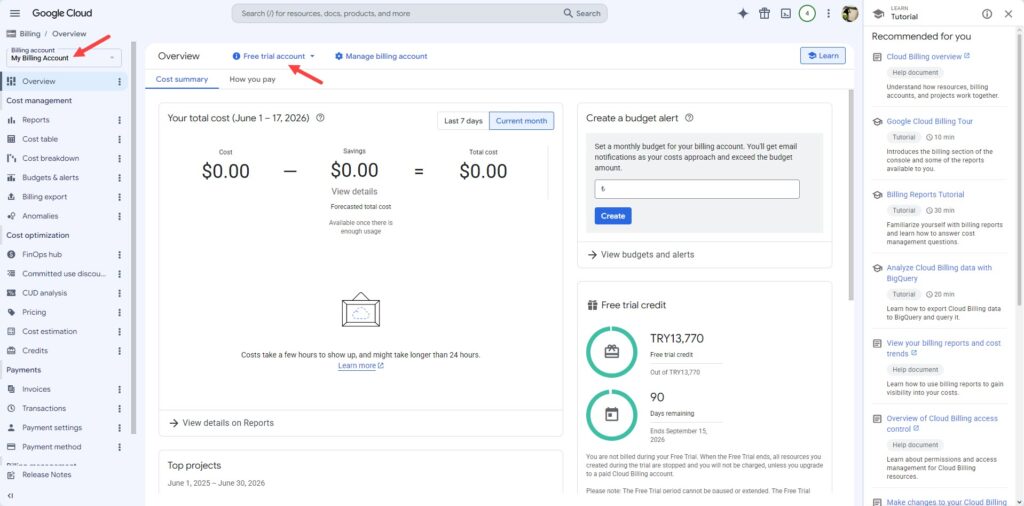
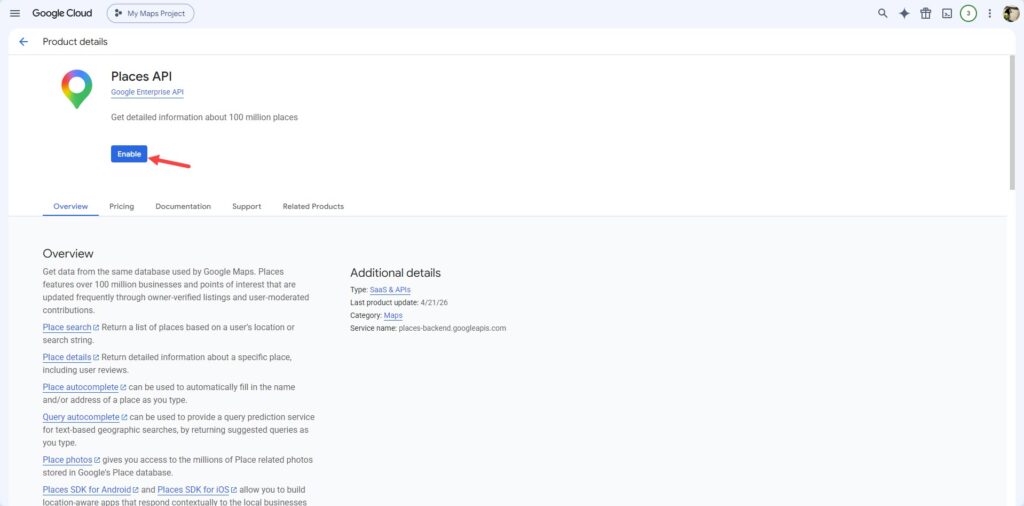
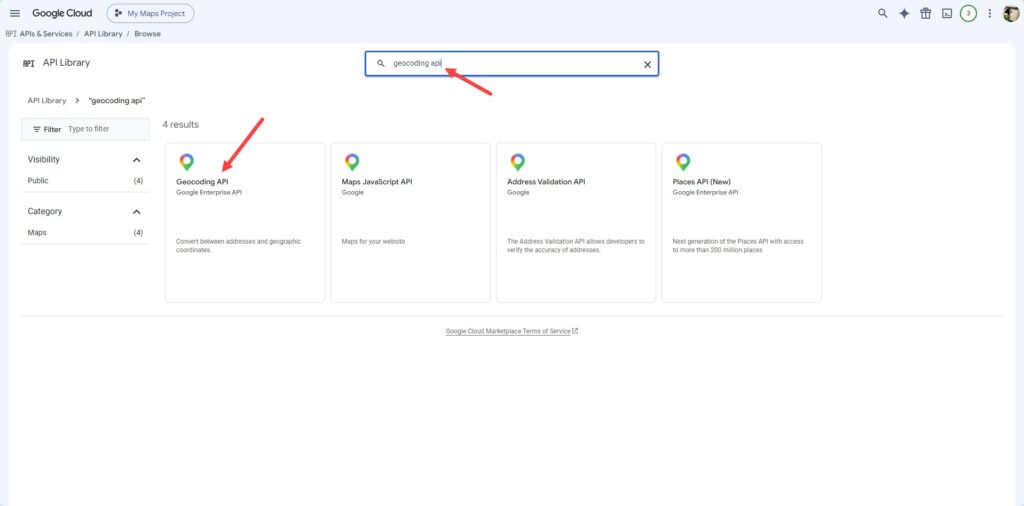
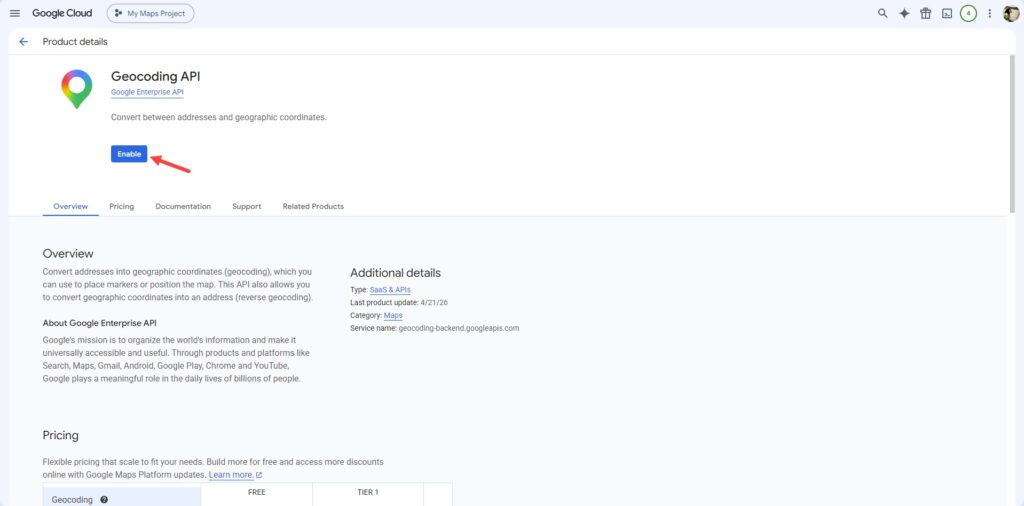
4. From APIs & Services > Library enable the following APIs:
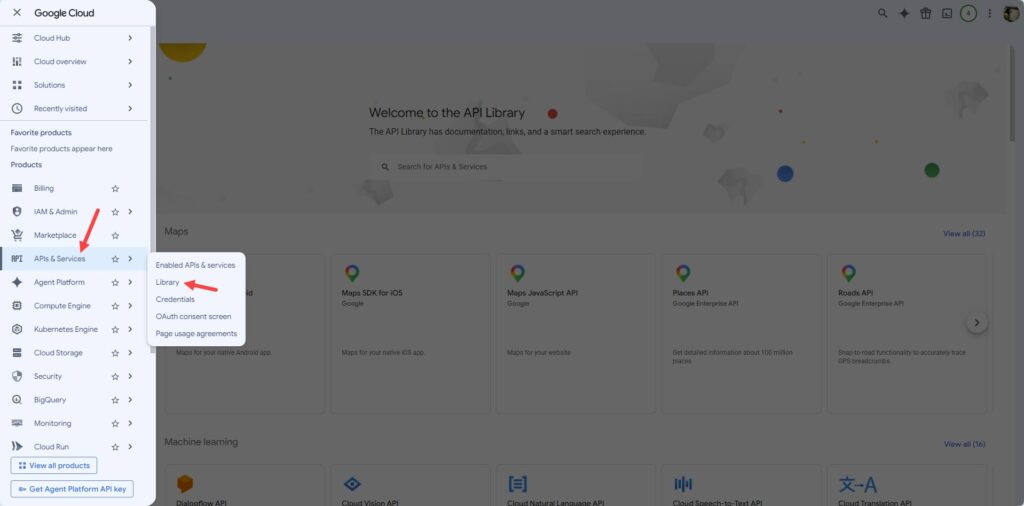
– Places API (for address/street autocomplete)
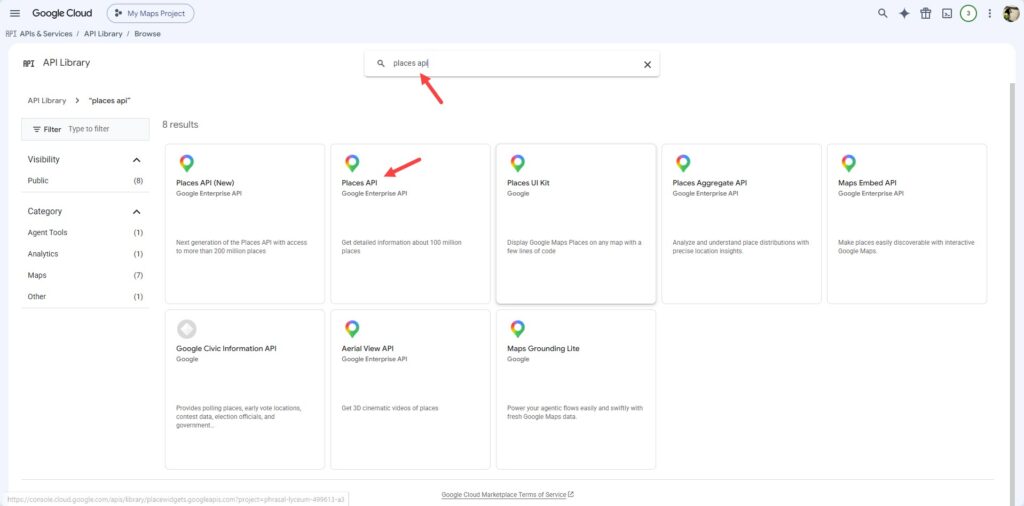
– Geocoding API (for postal code queries)
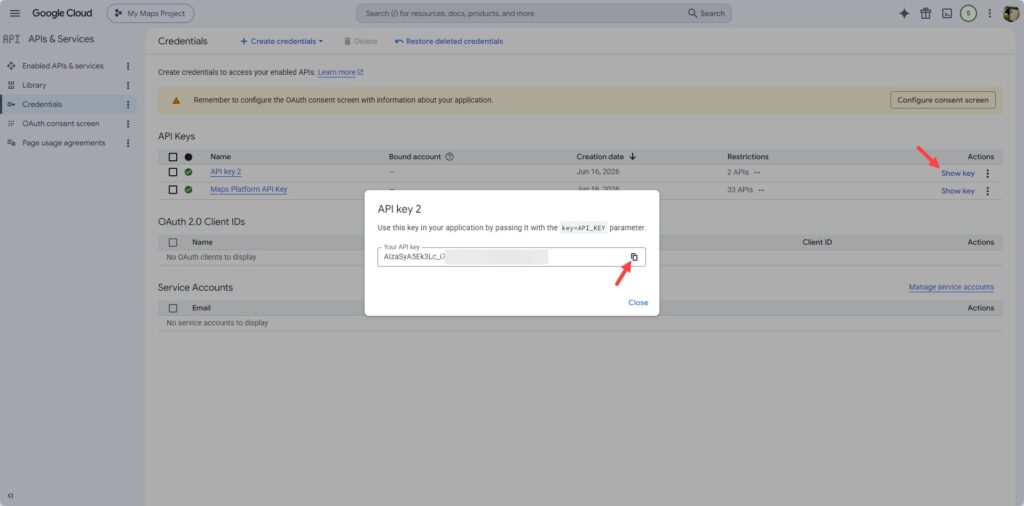
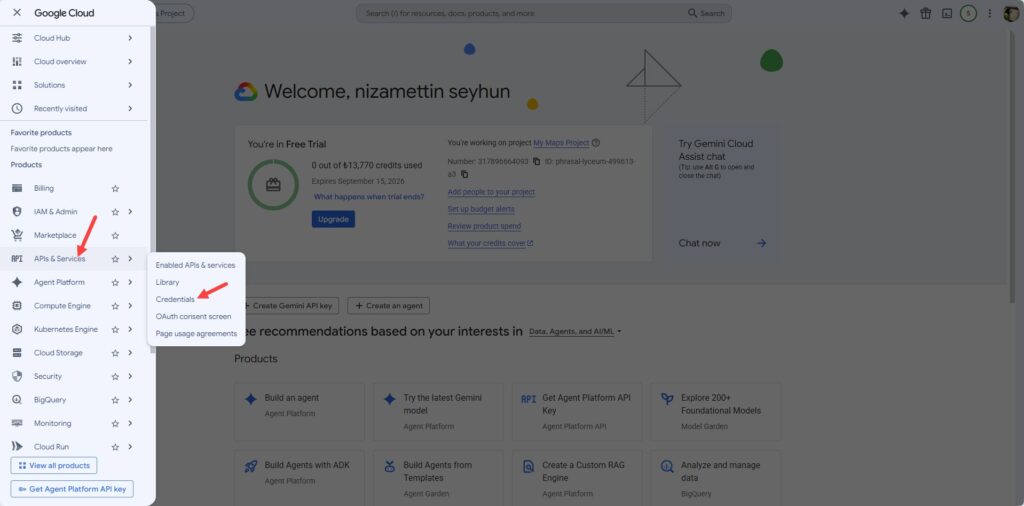
5. Go to APIs & Services > Credentials > Create Credentials > API Key > The key will be generated.
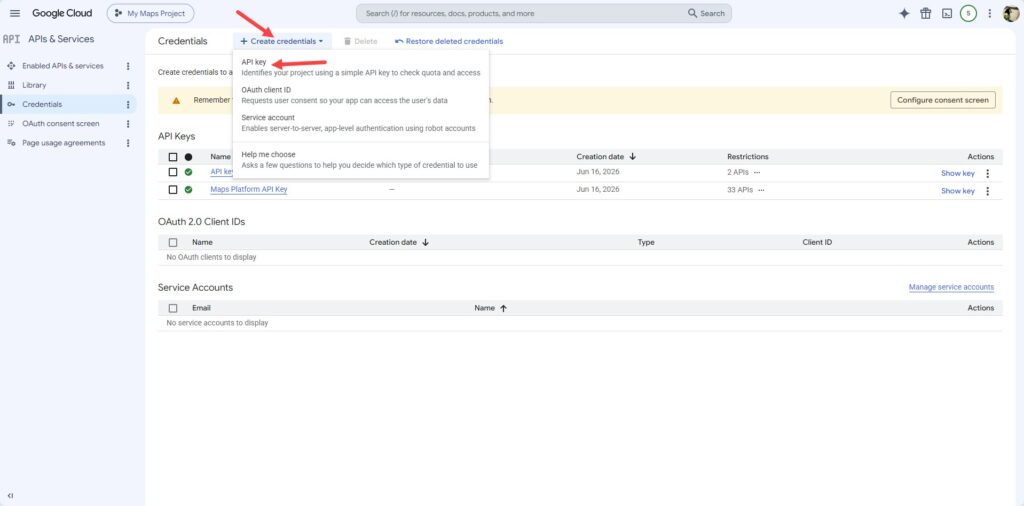
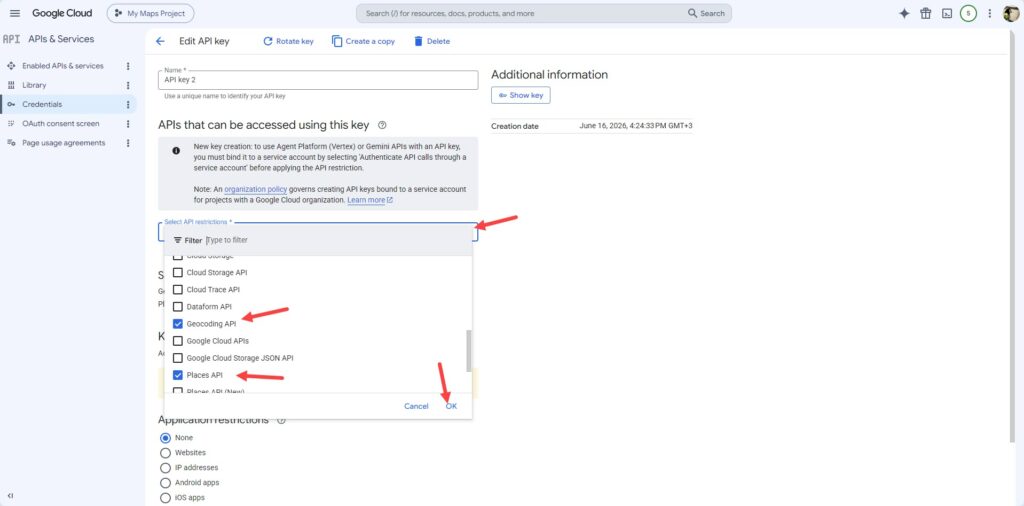
6. We recommended to Restrict the key > API restrictions → Select only Places API + Geocoding API.
Since the key is used via the SambaPOS server, if you require stricter security, you can set the IP restriction to the navcore server IP provided by our support team.
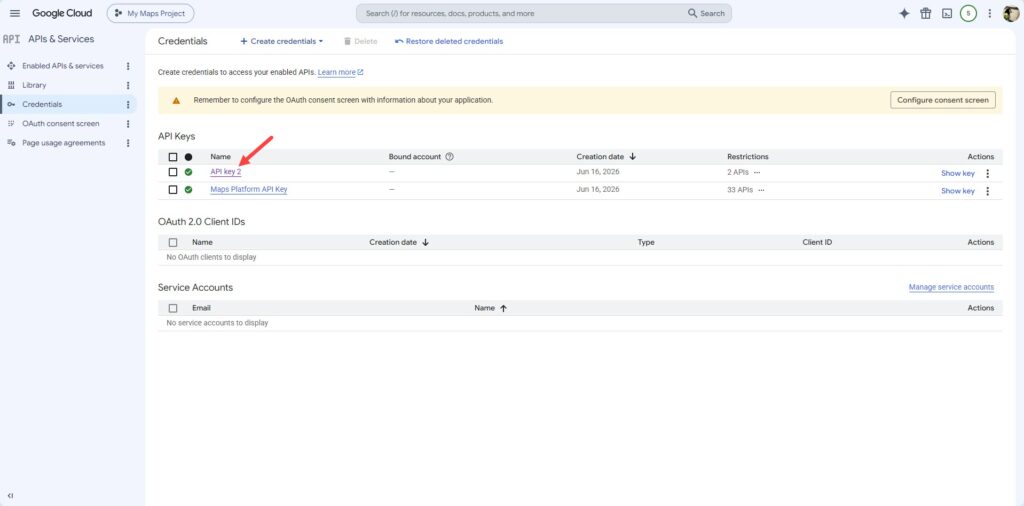
7. Copy the key.